> ## Documentation Index
> Fetch the complete documentation index at: https://docs.drip.re/llms.txt
> Use this file to discover all available pages before exploring further.
# Server Stats
> In this section you can view the statistics of your server
## Retrieve Server Statistics
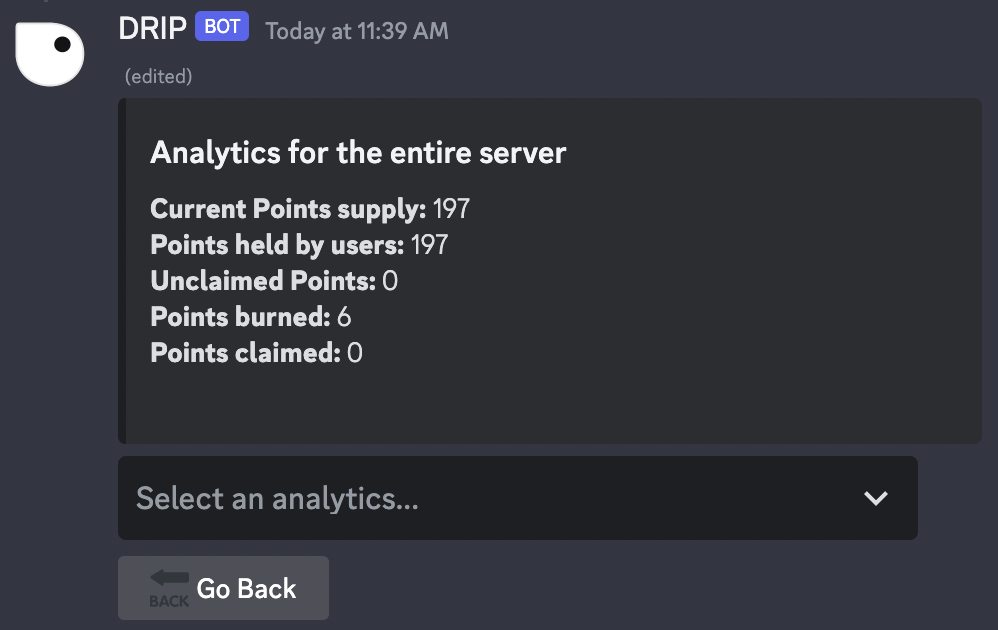
You can view your server stats by clicking the `📊 Server Stats` option in the [settings menu](/admin-settings/admin-dashboard/admin-settings).
If you have opened the server statistics, you will see some general statistics. To choose another category, use the drop-down menu.
You can choose from the following categories:
* 📊 General
* 🕹️ Games
* 🏪 Store
* 🎁 Prizes
* 💰 Token Drops
* 💸 Tipping
* ✨ Magic Embed