> ## Documentation Index
> Fetch the complete documentation index at: https://docs.drip.re/llms.txt
> Use this file to discover all available pages before exploring further.
# Overview
> Activate and edit Web3 features for your community
You can access the WEB3 Settings by clicking the `🔥WEB3 Settings` option in the [settings menu](/admin-settings/admin-dashboard/admin-settings).
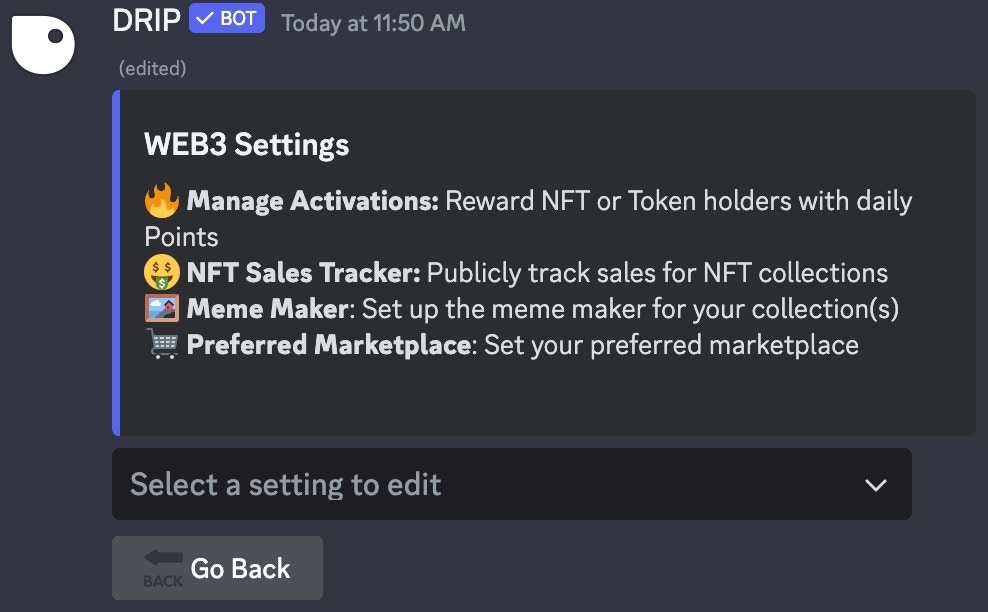 There are four different options in the Web3 Settings Menu, choose which you would like to edit from the dropdown menu:
* 🔥 **Manage Activations:** Reward NFT or Token holders with daily points
* 🤑 **NFT Sales Tracker:** Publicly track sales for NFT Collections
* 🖼 **Meme Maker:** Set up the meme maker for your collection(s)
* 🛒 **Preferred Marketplace:** Set your preferred marketplace
{" "}
{" "}
There are four different options in the Web3 Settings Menu, choose which you would like to edit from the dropdown menu:
* 🔥 **Manage Activations:** Reward NFT or Token holders with daily points
* 🤑 **NFT Sales Tracker:** Publicly track sales for NFT Collections
* 🖼 **Meme Maker:** Set up the meme maker for your collection(s)
* 🛒 **Preferred Marketplace:** Set your preferred marketplace
{" "}
{" "}