> ## Documentation Index
> Fetch the complete documentation index at: https://docs.drip.re/llms.txt
> Use this file to discover all available pages before exploring further.
# Create Channels
> Have Drip Rewards create starter channels for your Discord Community
Drip Rewards can create some starter channels for your Discord community if you would like. To Create Channels, navigate to the Admin Dashboard then click on the `Create Channels` button.
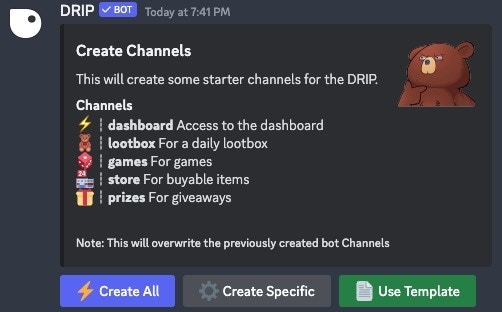
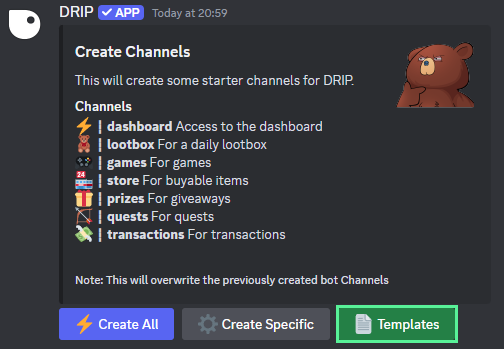
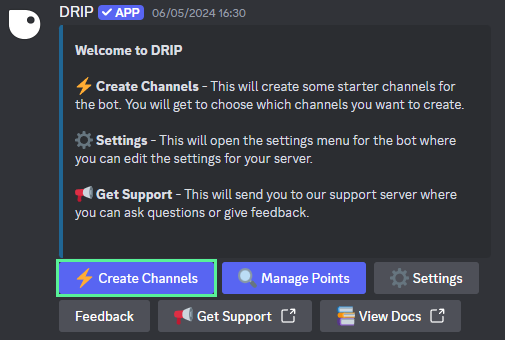 After clicking the button, a new embed will appear with three different options for creating channels for your community:
* ⚡️ **Create All:** Create all of the basic channels that come with the Drip Rewards template (dashboard, lootbox, games, store, and prizes)
* ⚙️ **Create Specific:** Create a specific channel from the Drip Rewards template
* 📄 **Use Template:** Create channels from a template that works best for your community
After clicking the button, a new embed will appear with three different options for creating channels for your community:
* ⚡️ **Create All:** Create all of the basic channels that come with the Drip Rewards template (dashboard, lootbox, games, store, and prizes)
* ⚙️ **Create Specific:** Create a specific channel from the Drip Rewards template
* 📄 **Use Template:** Create channels from a template that works best for your community
 To create all of the basic channels provided by Drip Rewards, click on the `Create All` button
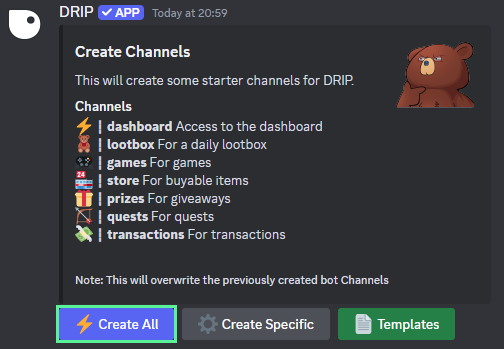 This will create the 6 basic channels used by Drip Rewards as seen below:
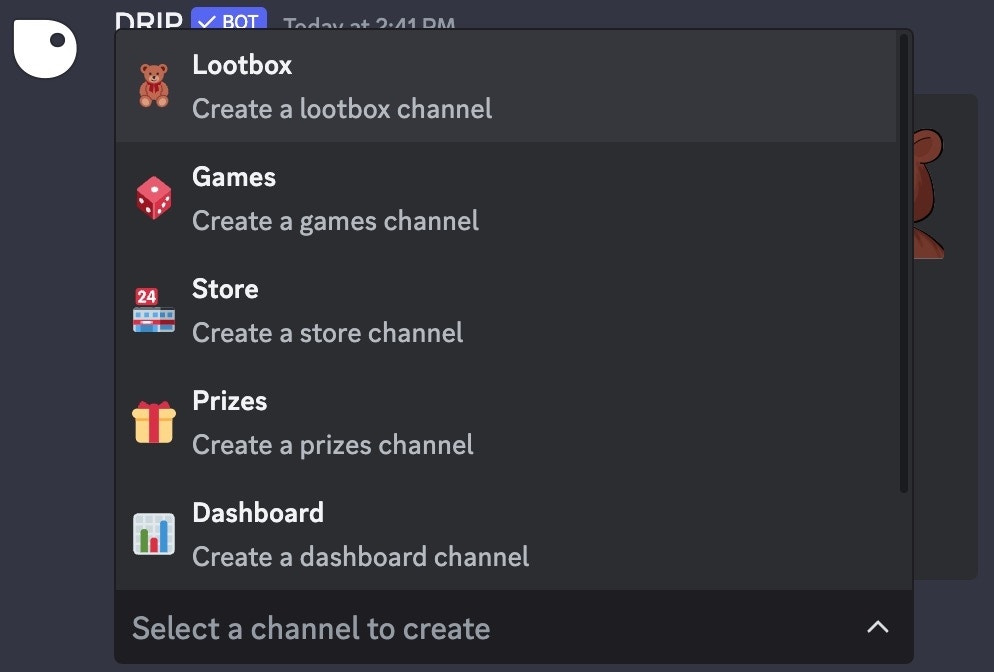
 To create specific channels offered by Drip Rewards, click on the `Create Specific` button
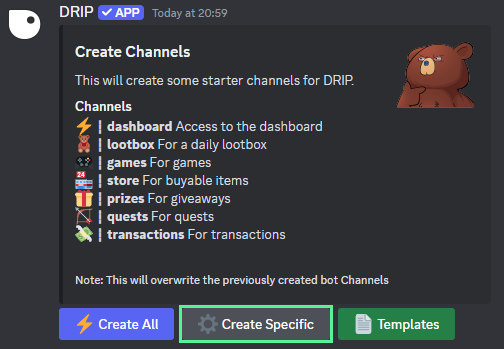 You can then pick the channels you would like to create from the dropdown menu that appears
 To create channels based on a template included with Drip Rewards, click on the `Use Template` button
 You can then pick the template you would like to create from the dropdown menu that appears
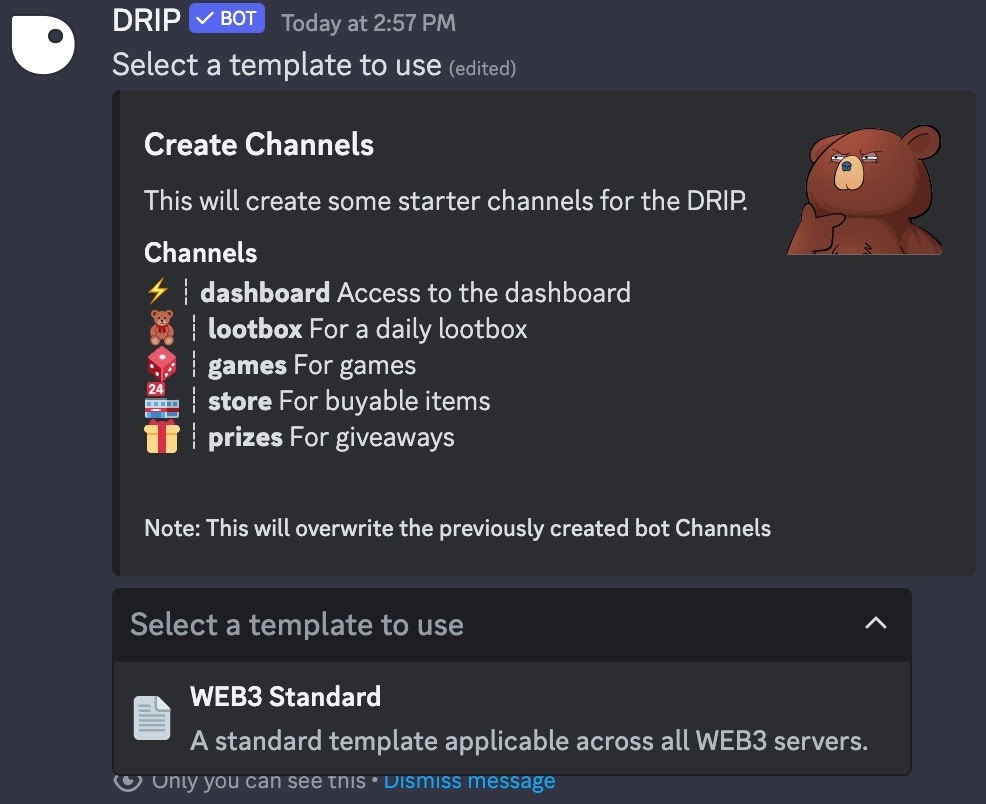 These templates will create multiple categories, channels, and roles for your community to get started.
You will still need to edit permissions for these various categories, channels, and roles to ensure your Discord is properly set up.
These templates will create multiple categories, channels, and roles for your community to get started.
You will still need to edit permissions for these various categories, channels, and roles to ensure your Discord is properly set up.