> ## Documentation Index
> Fetch the complete documentation index at: https://docs.drip.re/llms.txt
> Use this file to discover all available pages before exploring further.
# Overview
> All interactive elements associated with the message.
## Get Started
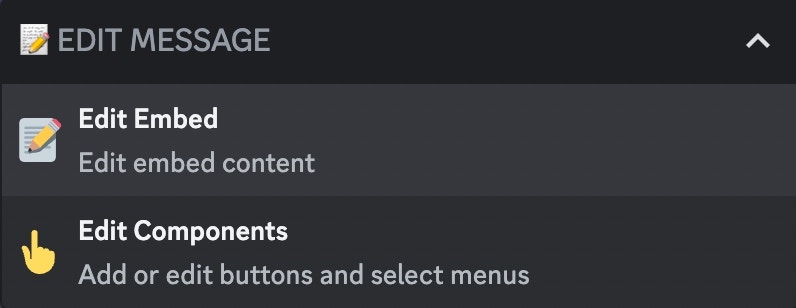
To edit the embed components, use the command `/create type:✨ Magic Embed` and select the `👆 Edit Components` option.
 After clicking the option, you will get some different options depending on your already existing components.
### 📝 Add Component
You can add a new component by clicking the option `📝Add Component`
After clicking the option, you will get some different options depending on your already existing components.
### 📝 Add Component
You can add a new component by clicking the option `📝Add Component`
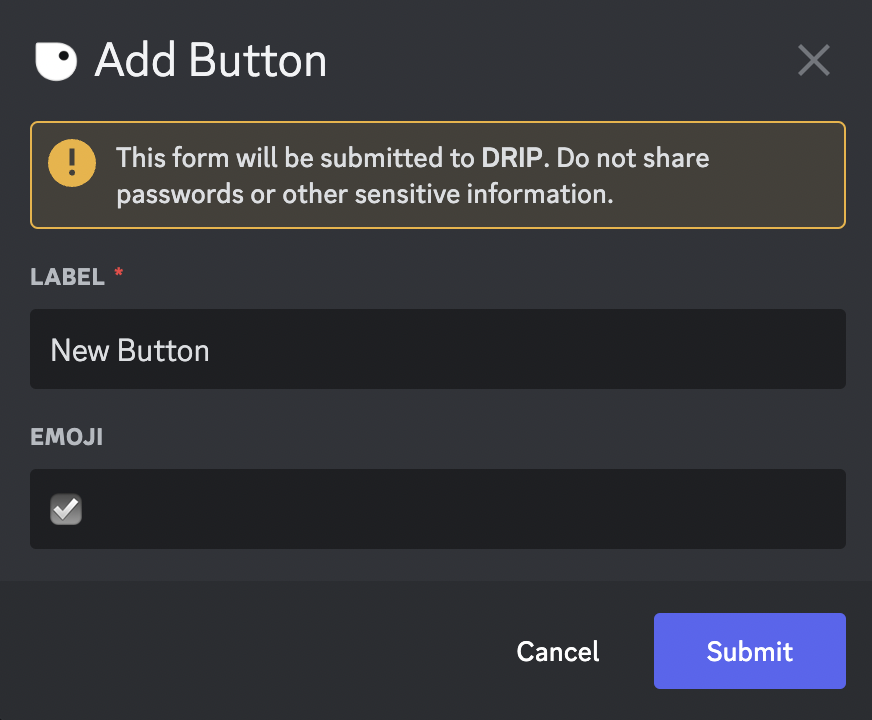
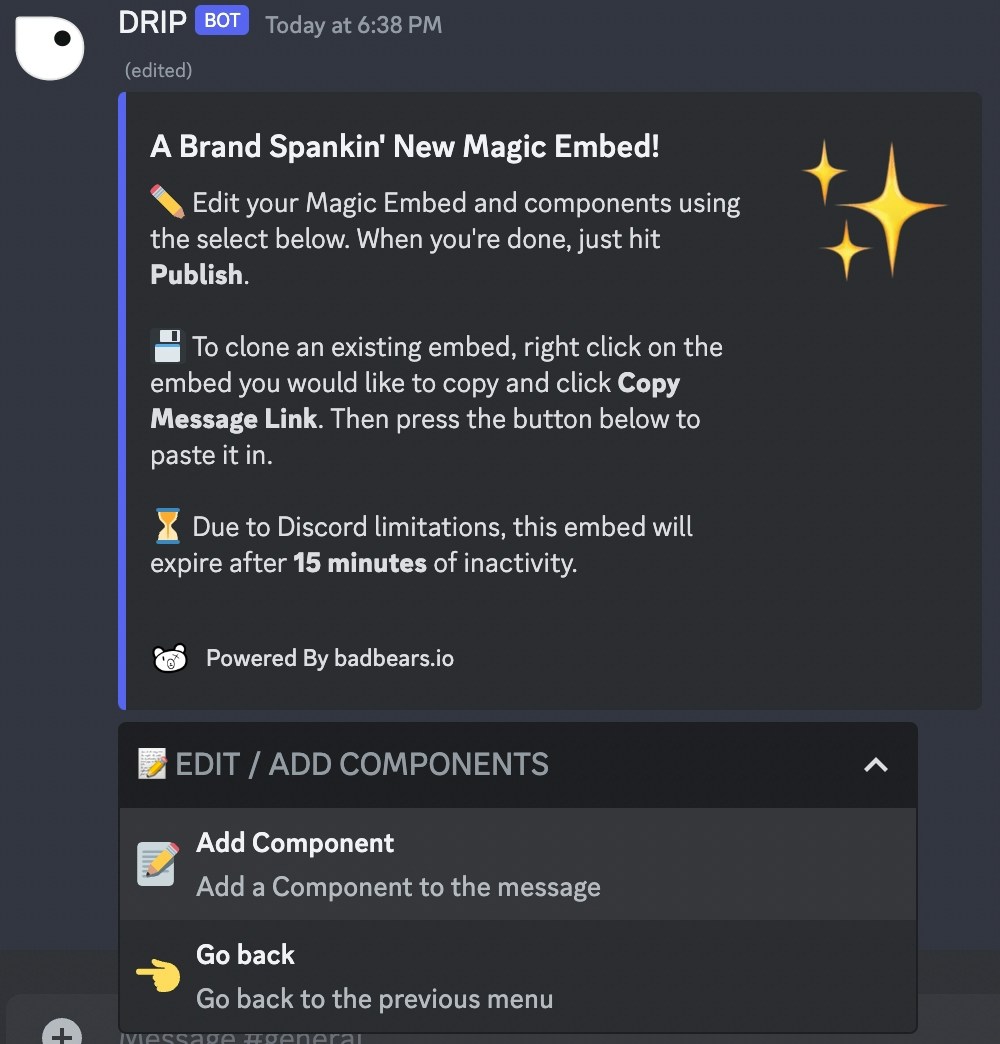 After clicking the option, a form will open where you can fill in the context of your button:
* Name of the button *(Required)*
* Emoji of the button
After clicking the option, a form will open where you can fill in the context of your button:
* Name of the button *(Required)*
* Emoji of the button
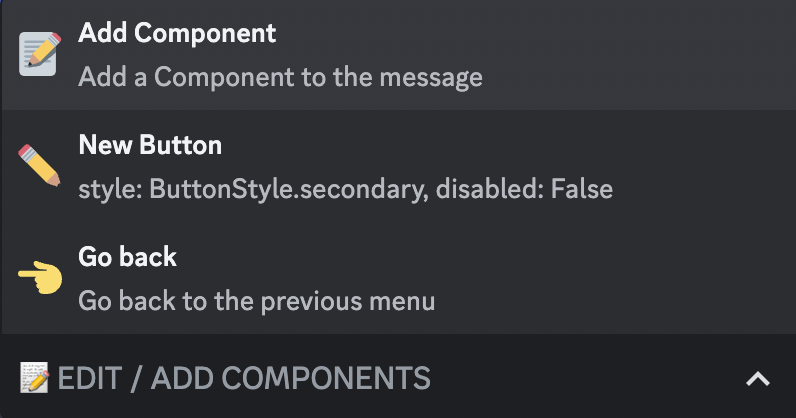
 When you submit the information, you should now see all the possible modifications, each of which is explained in[Components Options](/drip-features/magic-embed-builder/components#components-options)
Due to Discord limitations a Magic Embed can only have a **maximum** of 5
buttons.
### ✏️ Edit Component
If you have already created a component, you can now edit it by clicking on the option with the values of the button you want to edit. After clicking you should now see all the possible modifications, each of which is explained in[Components Options](/drip-features/magic-embed-builder/components#components-options)
When you submit the information, you should now see all the possible modifications, each of which is explained in[Components Options](/drip-features/magic-embed-builder/components#components-options)
Due to Discord limitations a Magic Embed can only have a **maximum** of 5
buttons.
### ✏️ Edit Component
If you have already created a component, you can now edit it by clicking on the option with the values of the button you want to edit. After clicking you should now see all the possible modifications, each of which is explained in[Components Options](/drip-features/magic-embed-builder/components#components-options)
 ## Components Options
Edit the label of the button
{" "}
Style the button
{" "}
Redirect members to a website
{" "}
Give/take points from a member
{" "}
Give/take a role from a member
{" "}
Restrict button interaction based on roles
{" "}
Restrict button interaction based on time
{" "}
Add a required code to the button
{" "}
Add a message to the button
{" "}
Add an embed to the button
{" "}
Reset/remove a functionality of the button
Remove the button
*Keywords: components, add component, edit component, component options*
## Components Options
Edit the label of the button
{" "}
Style the button
{" "}
Redirect members to a website
{" "}
Give/take points from a member
{" "}
Give/take a role from a member
{" "}
Restrict button interaction based on roles
{" "}
Restrict button interaction based on time
{" "}
Add a required code to the button
{" "}
Add a message to the button
{" "}
Add an embed to the button
{" "}
Reset/remove a functionality of the button
Remove the button
*Keywords: components, add component, edit component, component options*