> ## Documentation Index
> Fetch the complete documentation index at: https://docs.drip.re/llms.txt
> Use this file to discover all available pages before exploring further.

# Role Restrictions

> Restrict button interaction based on roles

This option allows you to restrict button interaction based on a users roles. Use the 2 selection menus to choose the appropriate roles. Options:

* Required role to interact

* Exclude a role from interacting
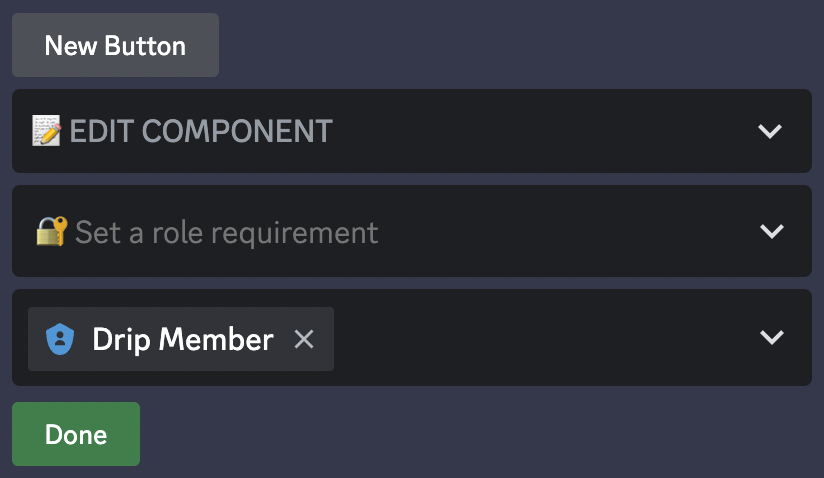
<Frame caption="Role Restrictions Options">
  <img src="https://mintcdn.com/driprewards/WWxKssanaX1pQZpz/images/drip-features/magic-embed-builder/components/img_f19aef.png?fit=max&auto=format&n=WWxKssanaX1pQZpz&q=85&s=1b14979a0a325f0b0040e0117b5b6bc7" width="824" height="478" data-path="images/drip-features/magic-embed-builder/components/img_f19aef.png" />
</Frame>

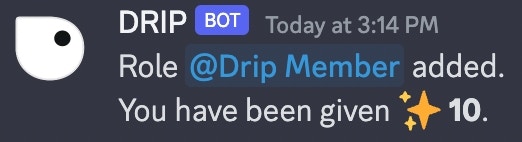
Once you click the `Done` button, the embed is updated. When a member now presses the button, they will get one of the following responses:

<Frame caption="Add Restrictions Response Failed">
  <img src="https://mintcdn.com/driprewards/WWxKssanaX1pQZpz/images/drip-features/magic-embed-builder/components/img_0dd3d6.png?fit=max&auto=format&n=WWxKssanaX1pQZpz&q=85&s=dceb22de1e57958b20d3d9a24f6ec680" width="750" height="106" data-path="images/drip-features/magic-embed-builder/components/img_0dd3d6.png" />
</Frame>

<Frame caption="Add Restrictions Response Success">
  <img src="https://mintcdn.com/driprewards/WWxKssanaX1pQZpz/images/drip-features/magic-embed-builder/components/img_0c7fd5.png?fit=max&auto=format&n=WWxKssanaX1pQZpz&q=85&s=d18a89f34626731c1855d9dc1bd5b9d2" width="522" height="142" data-path="images/drip-features/magic-embed-builder/components/img_0c7fd5.png" />
</Frame>

*Keywords: role restrictions, role requirements, exclude roles*
