> ## Documentation Index
> Fetch the complete documentation index at: https://docs.drip.re/llms.txt
> Use this file to discover all available pages before exploring further.
# Overview
> The embed is the main body of the message
### Get Started
To edit the embed content, use the command `/create type:✨ Magic Embed` and select the `📝Edit Embed` option.
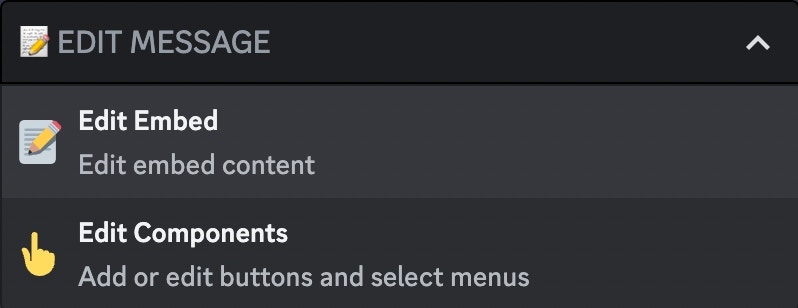 Now you see all the possible customizations, each of which is explained in [#embed-customizations-options](/drip-features/magic-embed-builder/embeds#embed-customizations-options)
## ✏️ Embed Customization Options
Set a text that will be displayed above the embed
{" "}
Set the text that will be displayed in the embed
{" "}
Set the author of the embed
{" "}
Set the footer of the embed
{" "}
Set the images of the embed
{" "}
Set the fields in the embed
Set the color of the embed
## ♻️ Delete Embed
This option allows you to remove the embed from the message.
Now you see all the possible customizations, each of which is explained in [#embed-customizations-options](/drip-features/magic-embed-builder/embeds#embed-customizations-options)
## ✏️ Embed Customization Options
Set a text that will be displayed above the embed
{" "}
Set the text that will be displayed in the embed
{" "}
Set the author of the embed
{" "}
Set the footer of the embed
{" "}
Set the images of the embed
{" "}
Set the fields in the embed
Set the color of the embed
## ♻️ Delete Embed
This option allows you to remove the embed from the message.
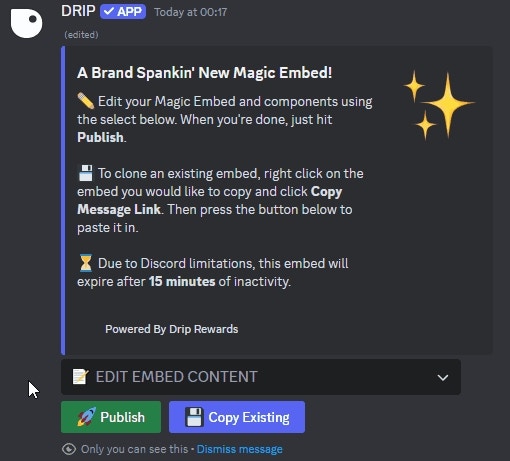 Once you click the option, the embed is removed from the message.
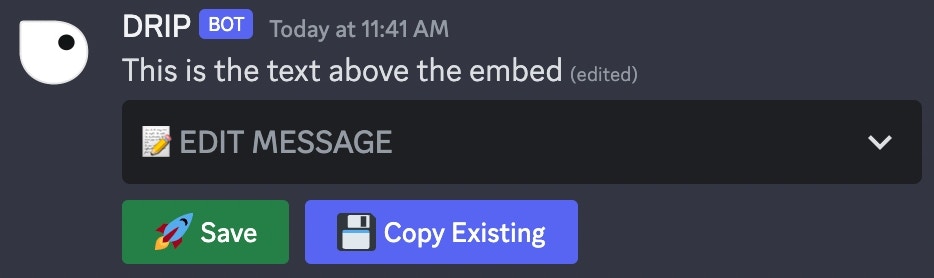 Removing the embed is irreversible, all modifications will be lost
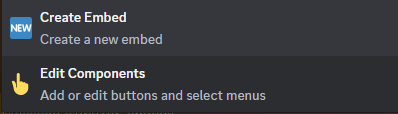
After you remove the embed, a new option is displayed to add a new embed. This will create the default embed.
Removing the embed is irreversible, all modifications will be lost
After you remove the embed, a new option is displayed to add a new embed. This will create the default embed.
 *Keywords: embed customization, delete embed*