> ## Documentation Index
> Fetch the complete documentation index at: https://docs.drip.re/llms.txt
> Use this file to discover all available pages before exploring further.
# Edit Author
> Set the author of the embed
This option allows you to set the author of the embed. When clicking the option, a form will be opened where you can fill in the following:
* Author Name
* URL that redirects users when they click on the author
* URL for the icon that will be displayed next to the author
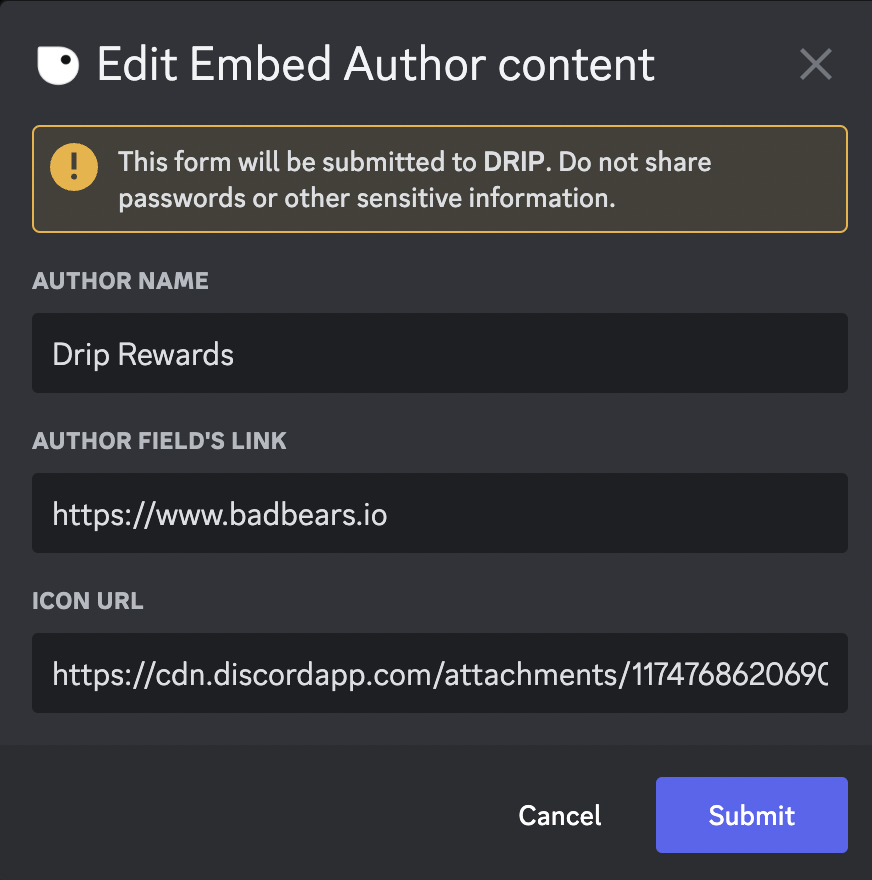 Once you submit the information, the embed is updated.
 ✨ This feature is only available for the Pro Tier
*Keywords: edit author, author name*
✨ This feature is only available for the Pro Tier
*Keywords: edit author, author name*