> ## Documentation Index
> Fetch the complete documentation index at: https://docs.drip.re/llms.txt
> Use this file to discover all available pages before exploring further.
# Edit Color
> Set the color of the embed
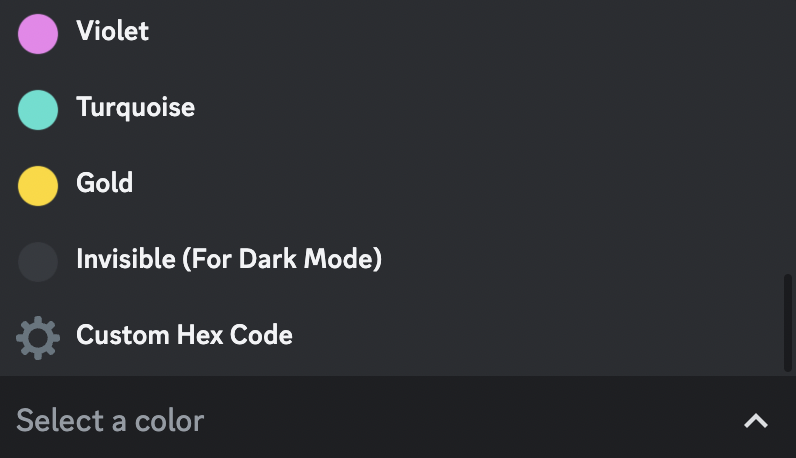
This option allows you to set the color of the embed. The color is visible on the left side of the embed. When you click the option, you will get a select menu with different options like:
* Preset colors (Red, Green, ...)
* Custom Hex Code
 ### 🔴 Preset Color
If you want to set one of the preset colors as your color, click on the desired color option and your embed will be updated.
### ⚙️ Custom Hex Code
This option allows you to set the color of the embed to a custom color. When you click the option, you will get a form where you need to fill in the HEX code of the color.
You can find the HEX code of a color on [this site](https://redketchup.io/color-picker).
### 🔴 Preset Color
If you want to set one of the preset colors as your color, click on the desired color option and your embed will be updated.
### ⚙️ Custom Hex Code
This option allows you to set the color of the embed to a custom color. When you click the option, you will get a form where you need to fill in the HEX code of the color.
You can find the HEX code of a color on [this site](https://redketchup.io/color-picker).
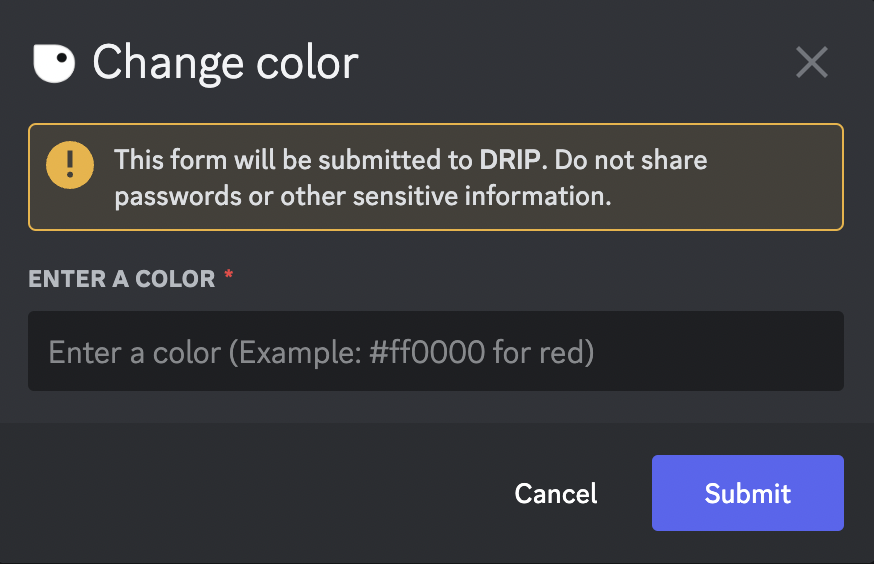 Once you submit the information, the embed is updated.
 *Keywords: edit color, preset color, custom hex, colour, preset colour*