> ## Documentation Index
> Fetch the complete documentation index at: https://docs.drip.re/llms.txt
> Use this file to discover all available pages before exploring further.
# Edit Footer
> Set the footer of the embed
This option allows you to set the author of the embed. When clicking the option, a form will be opened where you can fill in the following:
* Footer Name
* URL for the icon that will be displayed in the footer
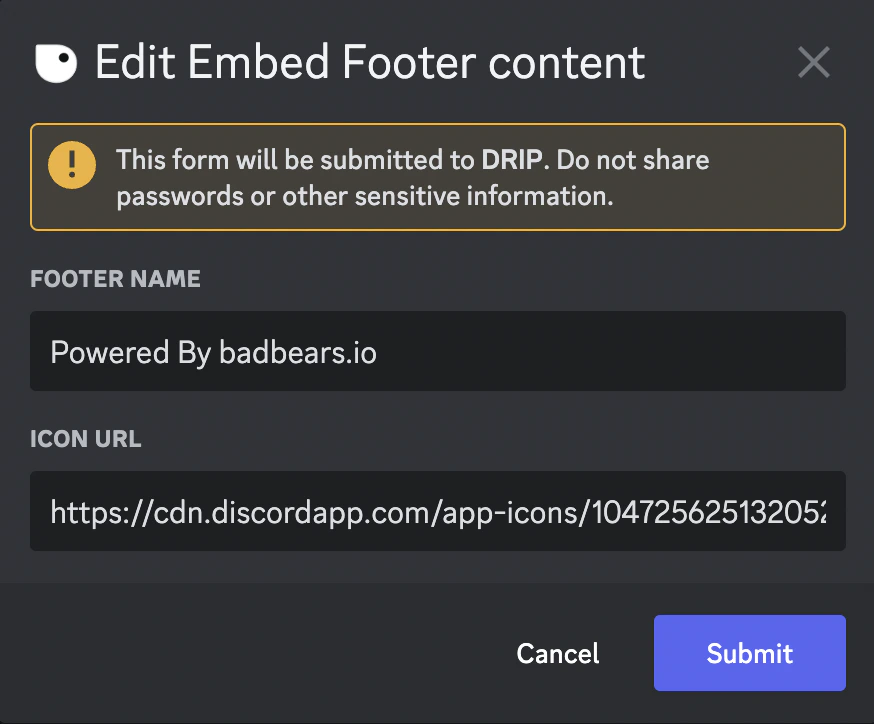 Once you submit the information, the embed is updated.
 ✨ This feature is only available for the Pro Tier
*Keywords: edit footer, footer name*
✨ This feature is only available for the Pro Tier
*Keywords: edit footer, footer name*