> ## Documentation Index
> Fetch the complete documentation index at: https://docs.drip.re/llms.txt
> Use this file to discover all available pages before exploring further.
# Discord Quests
> Create a Quest for members to engage in the Discord community
Discord Quests can only be created by users with the Admin, Co-Admin, or Quest
Master roles
### Creating a Discord Quest
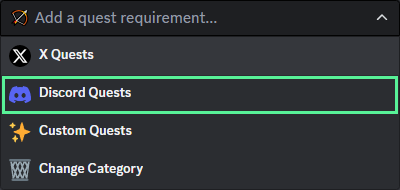
To create an Discord Quest, click on `Discord Quests` from the dropdown menu
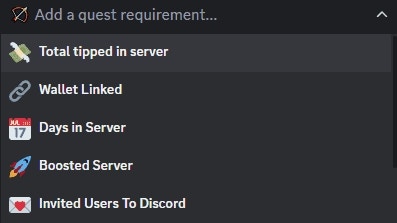
 Discord Quests come with six different options for engagement:
* 💸 **Total Tipped in Server:** Reward members for tipping a certain number of points
* 🔗 **Wallet Linked:** Reward members for linking their wallet(s) to Drip Rewards
* 📅 **Days in Server:** Reward members for being in the community a certain number of days
* 🚀 **Boosted Server:** Reward members for boosting the Discord server
* 💌 **Invited User To Discord:** Reward members for inviting users to the Discord server
* 🎉 **Participate In Event:** Reward members for participating in a Discord event
Choose which type(s) of engagement you want from the dropdown menu
Discord Quests come with six different options for engagement:
* 💸 **Total Tipped in Server:** Reward members for tipping a certain number of points
* 🔗 **Wallet Linked:** Reward members for linking their wallet(s) to Drip Rewards
* 📅 **Days in Server:** Reward members for being in the community a certain number of days
* 🚀 **Boosted Server:** Reward members for boosting the Discord server
* 💌 **Invited User To Discord:** Reward members for inviting users to the Discord server
* 🎉 **Participate In Event:** Reward members for participating in a Discord event
Choose which type(s) of engagement you want from the dropdown menu
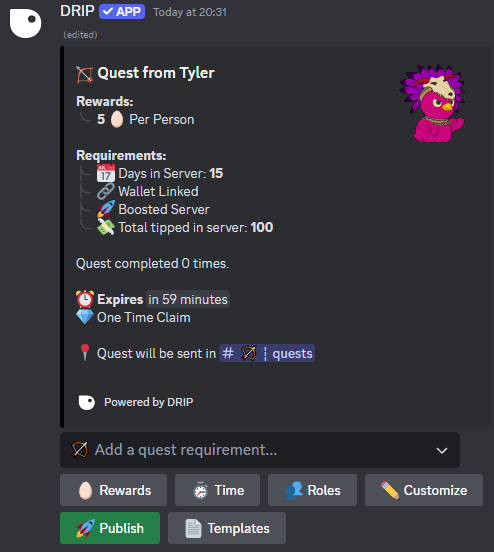
 After choosing engagement option(s) you can modify different components of the quest:
* ✨ Rewards**:** Modify the total budget and amount of points per claim. You can also choose a role to reward, or apply a multiplier for future points earned
* ⏱ **Time:** Change the expiry limit of the Quest (leave blank for no expiry)
* 🔔 Roles**:** Select roles to mention in the Quest
* ✏️ **Customize:** Customize how the Quest looks
* 📄 **Templates:** Create or Select a Quest template
After choosing engagement option(s) you can modify different components of the quest:
* ✨ Rewards**:** Modify the total budget and amount of points per claim. You can also choose a role to reward, or apply a multiplier for future points earned
* ⏱ **Time:** Change the expiry limit of the Quest (leave blank for no expiry)
* 🔔 Roles**:** Select roles to mention in the Quest
* ✏️ **Customize:** Customize how the Quest looks
* 📄 **Templates:** Create or Select a Quest template
 Click the publish button to send the Quest when finished