> ## Documentation Index
> Fetch the complete documentation index at: https://docs.drip.re/llms.txt
> Use this file to discover all available pages before exploring further.
# Browse NFTs
> View NFTs you hold from the server's activated collections.
### Browse NFTs
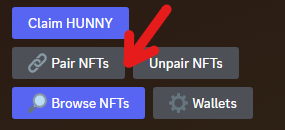
Go to your [Dashboard](/drip-features/user-dashboard) and click the `🔎 Browse NFTs` button.
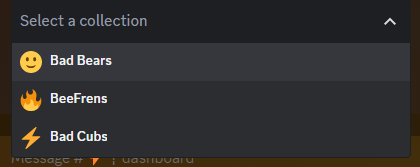
 Choose an activated collection you want to browse.
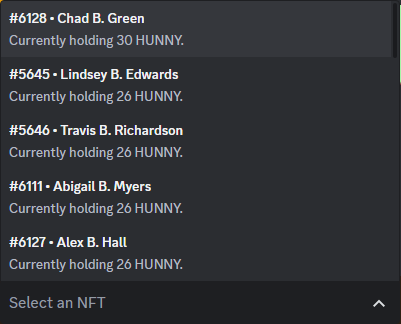
 Once you make a selection, all owned NFTs in that collection are displayed from your connected wallets. When the collection type is a `🔥 ``Generator`, it will also display the points balance the NFT currently holds.
 If you click on an NFT, you will get a display similar to the one below depending on the type of NFT effect:
* Link to [Preferred Marketplace](/admin-settings/admin-dashboard/admin-settings/web3-settings/preferred-marketplace)
* ID + Name of the NFT
* Image of the NFT
If you click on an NFT, you will get a display similar to the one below depending on the type of NFT effect:
* Link to [Preferred Marketplace](/admin-settings/admin-dashboard/admin-settings/web3-settings/preferred-marketplace)
* ID + Name of the NFT
* Image of the NFT
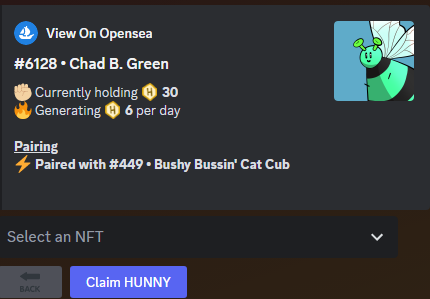
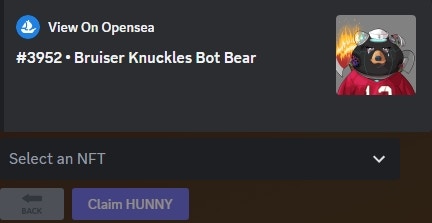 * Link to [Preferred Marketplace](/admin-settings/admin-dashboard/admin-settings/web3-settings/preferred-marketplace)
* ID + Name of the NFT
* Image of the NFT
* Current points balance
* Number of daily points it is generating (yield)
* Paired NFTs
* Button to claim the points of this individual NFT
* Link to [Preferred Marketplace](/admin-settings/admin-dashboard/admin-settings/web3-settings/preferred-marketplace)
* ID + Name of the NFT
* Image of the NFT
* Current points balance
* Number of daily points it is generating (yield)
* Paired NFTs
* Button to claim the points of this individual NFT
 * Link to [Preferred Marketplace](/admin-settings/admin-dashboard/admin-settings/web3-settings/preferred-marketplace)
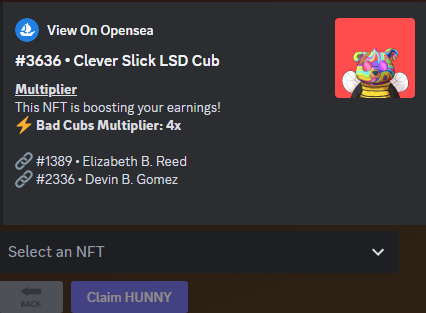
* ID + Name of the NFT
* Image
* Multiplier amount
* Paired NFTs
* Link to [Preferred Marketplace](/admin-settings/admin-dashboard/admin-settings/web3-settings/preferred-marketplace)
* ID + Name of the NFT
* Image
* Multiplier amount
* Paired NFTs
 *Keywords: browse NFTs, connected wallet, no effect, generator, multiplier*