> ## Documentation Index
> Fetch the complete documentation index at: https://docs.drip.re/llms.txt
> Use this file to discover all available pages before exploring further.
# Overview
> Manage your Twitter account and Web3 Wallets
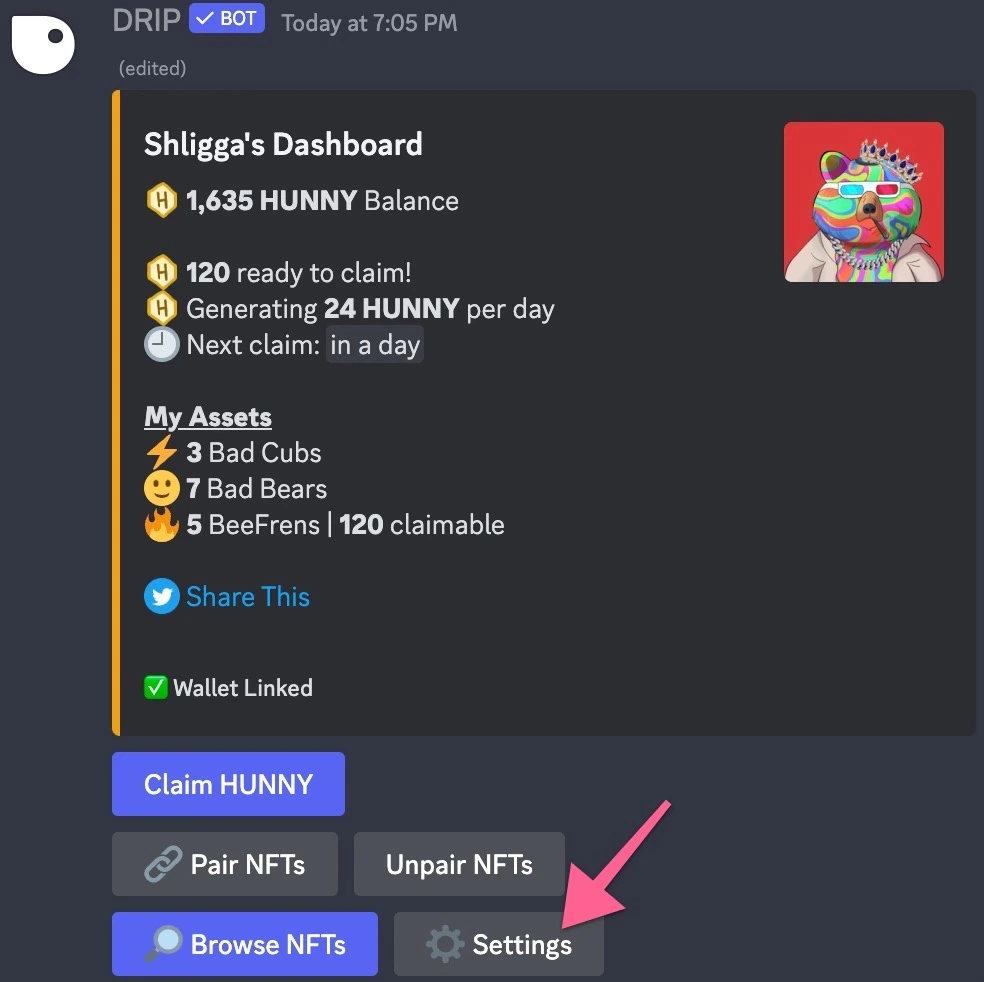
You can access user settings by clicking the Settings button in the user [dashboard](/drip-features/user-dashboard#my-dashboard).
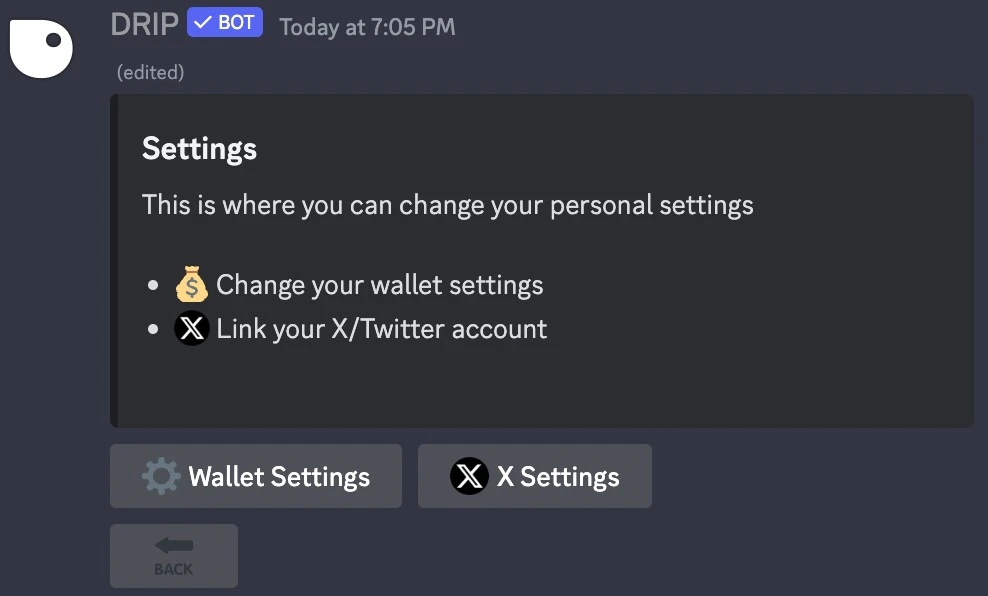
 A new embed will appear with the following options:
* [⚙️ **Wallet Settings:**](/drip-features/user-dashboard/user-settings/wallet-settings) Change your wallet settings
* [**𝕏 X Settings:**](/drip-features/user-dashboard/user-settings/x-settings) Link your X/Twitter account
A new embed will appear with the following options:
* [⚙️ **Wallet Settings:**](/drip-features/user-dashboard/user-settings/wallet-settings) Change your wallet settings
* [**𝕏 X Settings:**](/drip-features/user-dashboard/user-settings/x-settings) Link your X/Twitter account