Meme Maker
Set up the meme maker for your collection(s)
Set Up a Meme
To create a new meme, add the collection you want to create a new meme from. To do this, click the ⚡ Add a New Collection option.

Click Add a New Collection
Select the collection you want to use next.

Choose the Correct Collection
Now click the Set Attribute button and select the attribute you want to use to base your memes on.

Click Set Attribute

Choose the Attribute
After picking the correct attribute, you can now create a new meme. Do this by clicking Create a new meme from the dropdown menu at the bottom of the embed. A pop-up will appear asking you to enter the name of the new meme.

Click Create a new meme

Fill In the Name Of the Meme
Then choose a property you want to set and fill in the URL to the overlay.

Choose a Trait

Fill In the URL To the Overlay
The overlay should be a PNG with all the right dimensions to fit the NFT image
We suggest using an external image host, like https://imgtr.ee/ or https://imgur.com for hosting images
Remove a Meme
To remove a meme, click the 🗑️ Remove button.

Click Remove Button
To be safe, another confirmation will be shown if you still want to delete the meme. Then click the Confirm button.

Click Confirm
Send Meme Maker
To send the Meme Maker message, use the 📤 Send Meme Maker button.

Click the Send Meme Maker button
This opens a new drop-down menu where you must choose the channel to which the message should be sent.
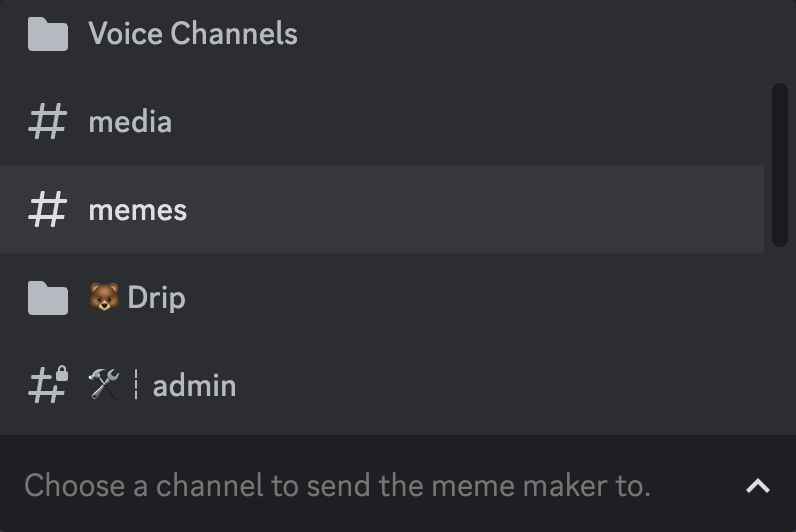
Choose a Channel You Want To Send The Meme Maker To
Use the Meme Maker
To use the meme maker, use the Create Meme button.

Click the Create meme button
If multiple collections are activated, you will see multiple options. Click on the collection you want to use.

Click the Collection You Want To Use
Now choose the NFT for which you want to create a meme.

Choose the NFT You Want To Use
As a final step, select the meme you want to create.

Choose the Meme
After a few seconds, your meme is ready to use
